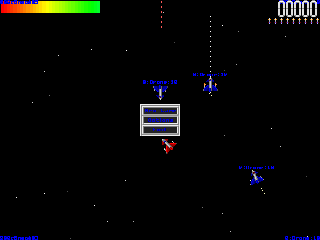

A Simple Shoot-em-up
This started as a friend of mine, Joe Hoy, attempting to learn the basics of Direct Draw Sprite programming. I was asked to help and we ended up with a SpaceShip bouncing around the screen against a moving starfield. I started to look further into this idea, especially when Joe introduced the idea of multiple speeds. I decided there was actually quite a good possibility of a game from this. The idea started off as a Xenon 2 style space shoot em up but I have never been a fan of linearity. Therefore I decided to make this a go anywhere shoot anything game that rapidly came together. I soon started taking choices to improve the game further, the sprite was updated from 8 positions to 16 and quickly an ability to fire was added. Next to come in was a drone space ship that just flew straight up the screen. I started it off just flying and then started it shooting. This left me with needing to set up a collision detection system, initially I thought of using a system whereby collisions are created by checking a circle around the object but decided to use bounding boxes instead (Sorry, it was far easier). Next to come along was a rudimentary AI that meant that the drone homed in on you and did not give up until you were dead. I quickly added a random movement factor to it to create a bit more u npredictability. Next I added an evade so that, in early versions, when you had a group of drones behind you they would scatter when you turned round guns blazing (This made it possible to get a kill without dying in 3 seconds!). The last addition to the AI was an ability to track and attack the nearest object, be it you or another drone. Another decision I made about this time was to use Particles to create smoke trails and explosions, in my opinion, particles are far easier to use, take less memory, and look better than a bit mapped explosion. The next addition was Missiles. A Missile uses the nearest tracker portion of the drone AI but is very short range and consequently you need to be careful using it. The final addition was to add powerups floating round in space.
Special Thanks go to Joe Hoy and Ross Tranckle. If it weren't for Joe I would never have started and I would not have Missile Graphics and SpaceShip Graphics. As for Ross he just continually beat my scores!
Help
The Main Menu consists of :
New Game starts a game.
Options takes you to the option menu.
Exit ... exits the game (perhaps?).
The Option Menu
From the Options Menu you can choose to change the Explosion Jitter (try it on or off you'll know what i mean). The amount of "Drone Ships" from 1 to 125 (With 125 the game runs very slow 15 is a good amount and they respawn when they die). Particle Number, this is the amount of particles in an explosion. It can be set from 5000 to 10 (700 runs well on my K6-2 300Mhz). Finally you can change the number of powerups in the world from 100 to 1500 (It should run reasonably with up to 1000, but I have not really checked this option out a lot).When you have finished making your choices click "Ok". Clicking "Cancel" clears the change you have made.
To download the executable click here.
To download the code click here.